LCA portal members instructions – SANT DCC

Welcome, we have activated your new LCA email account.
This account will give you access to your new email and the SA/NT DCC Sharepoint Site.
How to access your new email address
Go to http://www.lca.org.au. At the top of the page, you will see a button labeled LCA Portal. As shown below in the red circle.

When you click on this link you will be presented with a Microsoft Sign in page, see below page.
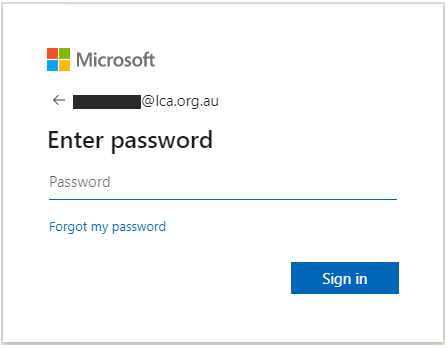
Enter your LCA email – click Next.
Enter your LCA password – click Sign in.
Authorise via your Authenticator app or code via SMS.
Once you have logged on you will be redirect to the LCA Portal.
The portal will look like the screen below (subject to change as this is growing).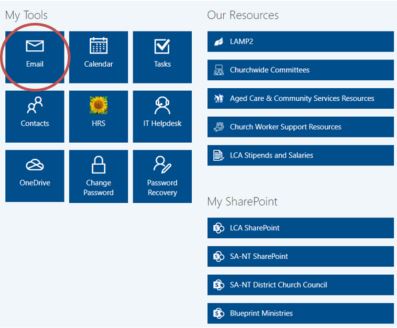
Select the email icon to access your emails (as shown in diagram above with red circle).
When you click this icon you will be asked this question once (on your first login):
Make sure you enter language as English (Australia or New Zealand)
Select the correct time zone for your area and “Save” You will then have access to your mail box. Please check your LCA email regularly as all LCA electronic communication will be sent to this email account.

How to access the DCC SharePoint siteTo access the SANT DCC site start by logging into the LCA Portal (as discussed in the previous section – how to access your email).
You will be presented with the following screen.
Select ‘SA-NT SharePoint’ icon.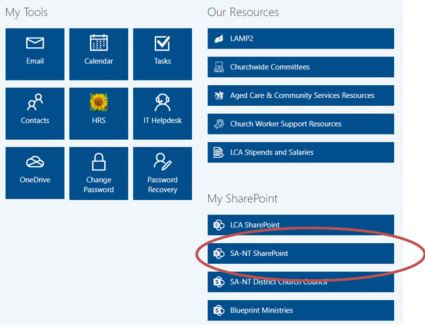
Select the ‘SA/NT DCC’ icon on the left on the following page to enter the DCC site
If you experience problems:
For LCA IT Services (Support): http://itsupport.lca.org.au and submit a job (you will need your username and password), and an IT Officer will respond to your query.
Alternatively you can contact us on 08 8267 7380 between 9:00am to 4:30pm (ACST) or email us on itsupport@lca.org.au.
