Setting up an additional mailbox in Outlook 2013/2016

Setting up an Additional Mailbox in Outlook 2013/2016
- Select File from the Outlook menu in the top left corner
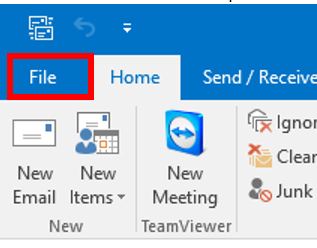
- Select Account Settings and from the drop-down box, select Account Settings again

- In the account settings, On the Email Tab (this will be selected for view by default) select the New option.

- Enter your name, email address, and password and then click Next.

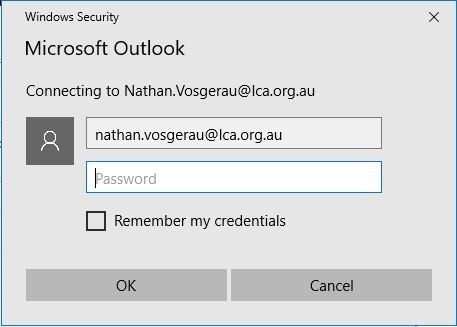
- You may be prompted to input your username and password again. If requested, re-enter your details and select ok.
- After the account is successfully added, select Finish. You will need to restart Outlook for this to be completed.

If you experience problems:
For LCA IT Services (Support): itsupport.lca.org.au and submit a job (you will need your username and password), and an IT Officer will respond to your query.
Alternatively you can contact us on 08 8267 7380 between 8:30am to 4:30pm (ACST) or email us on itsupport@lca.org.au.
