• Skip to primary navigation
  • Skip to main content
  • Skip to footer

Lutheran Church of Australia

where love comes to life

Menu
  • ABOUT US
  • THE LATEST
    • News
    • Flashback Friday
    • Calls – Employment – Volunteering
    • Daily Devotions
    • Worship Planning Page
    • The Lutheran
    • Bulletins and Announcements
  • CONGREGATIONAL LIFE HUB
  • FIND A …
    • Church
    • School
    • District
    • Resource
    • Project or Event
    • Ministry or Service
    • Agency or Ministry Partner
    • Aged or Community Care Service
  • CONTACT US
LCA Portal LAMP2 LCANZ Service Centre Donate

How to use the ALC paging system

22 May 2026


Print Friendly, PDF & Email

How to use the ALC paging system

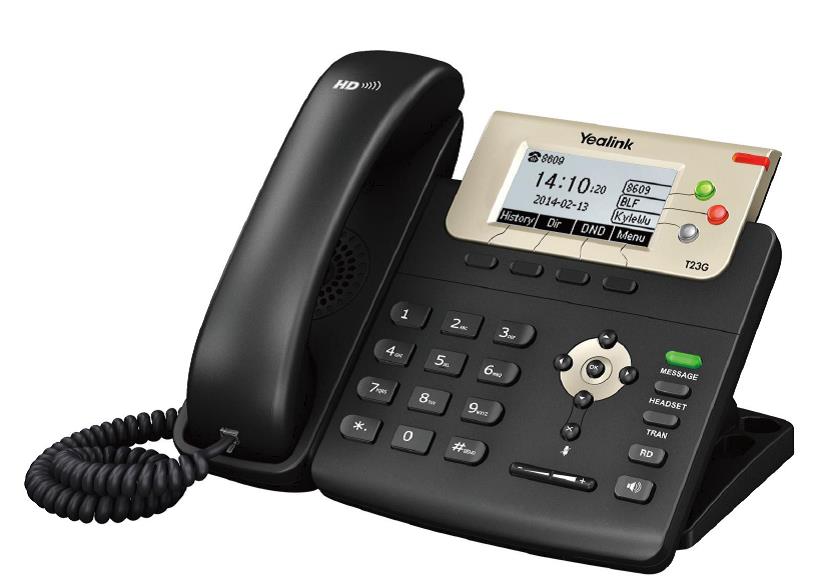
VOIP phone system for Australian Lutheran College (T23G)
Using the VOIP Paging Feature

Using the Paging feature will enable the end user to make a public message via the speakerphone on all ALC phone devices.

To use the Paging feature:

  1. Pick up the handset and Dial ‘111’ – This will enable the Paging feature
  2. Wait for the ‘Beep’ – This means a connection has been made to all the phones and is ready to transmit
  3. Proceed to state the message
  4. To end – Hang up the handset

Footer

Quicklinks

  • HOME
  • NEWS & FEATURES
  • CALLS & EMPLOYMENT


  • FIND A CHURCH
  • WORSHIP PLANNING PAGE

Contact us

139 Frome Street
Adelaide SA 5000

08 8267 7300

© 2026 Lutheran Church of Australia

Privacy Policy • Disclaimer

Designed by LCA Communications