Accessing your Blueprint SharePoint

Welcome, we have activated your new LCA email account.
This account will give you access to your new email and the Blueprint Ministries SharePoint Site.
How to access your new email address
Go to http://www.lca.org.au. At the top of the page, you will see a button labelled LCA Portal. As shown below in the red circle.

When you click on this link you will be presented with a Microsoft Sign in page, see below page.

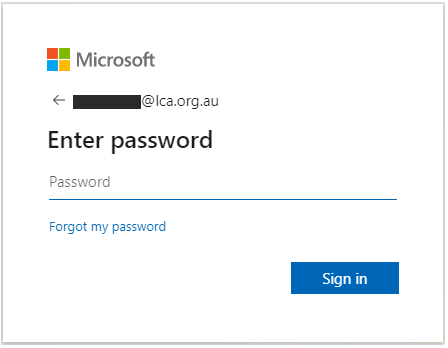
Enter your LCA email – click Next.
Enter your LCA password – click Sign in.
Authorise via your Authenticator app or code via SMS.
Once you have logged on you will be redirect to the LCA Portal.
The portal will look like the screen below (subject to change as this is growing).

Select the email icon to access your emails (as shown in diagram above with red circle).
When you click this icon you will be asked this question once (on your first login):

Make sure you enter language as English (Australia or New Zealand)
Select the correct time zone for your area and “Save”
You will then have access to your mail box. Please check your LCA email regularly as all LCA electronic communication will be sent to this email account.
How to access a Shared Mailbox:
o access a Shared Mailbox via the LCA Portal, begin with logging into your LCA email account by clicking on Mail.
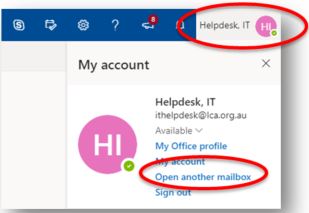
Click on your name – Found in the top right hand corner of the screen and select the option to ‘Open another mailbox…’
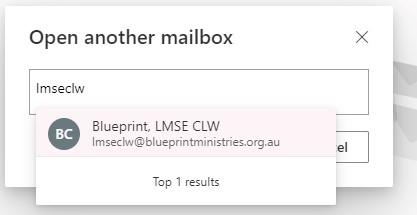
Start typing in the name of the Shared Mailbox you wish to open into the mailbox field until you see it appear in the dropdown box. Select the mailbox and click ‘Open’.
The Shared Mailbox will then open in a new window.
How to access the Blueprint Ministries SharePoint site
To access the Blueprint Ministries site start by logging into the LCA Portal (as discussed in the previous section – how to access your email).
You will be presented with the following screen.
Select ‘SA-NT SharePoint’ icon.

Select the ‘Blueprint Ministries’ on the following page to enter the Blueprint ministries site.
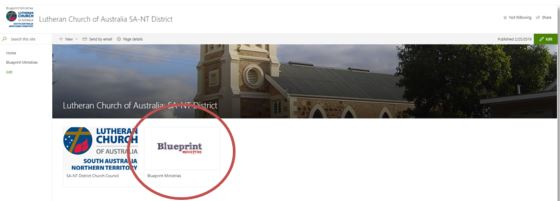
Continue by selecting the appropriate Camp folder. You will not be able to see any camp that you are not authorized to.

If you experience problems:
For LCA IT Services (Support): http://itsupport.lca.org.au and submit a job (you will need your username and password), and an IT Officer will respond to your query.
Alternatively you can contact us on 08 8267 7380 between 9:00am to 4:30pm (ACST) or email us on itsupport@lca.org.au.
